Archive
SQL DBA – Windows could not start the SQL Server… refer to service-specific error code 17051 – SQL Server Evaluation period has expired
Ok, one fine day you opened SSMS (SQL Server Management Studio) and tried to connect to a SQL Instance, but it is not getting connected. You are getting following error message on a popup box:
Cannot connect to XYZ_Instance.

ADDITIONAL INFORMATION:

A network-related or instance-specific error occurred while establishing a
connection to SQL Server. The server was not found or was not accessible.
Verify that the instance name is correct and that SQL Server is configured
to allow remote connections.  (provider: Named Pipes Provider, error: 40 -
Could not open a connection to SQL Server) (Microsoft SQL Server, Error: 2)

The system cannot find the file specified.
–> You may also get following error:
—————————
Microsoft SQL Server Management Studio
—————————
Evaluation period has expired. For information on how to upgrade your evaluation software please go to http://www.microsoft.com/sql/howtobuy
—————————
OK
—————————
–> Investigate
Go to RUN and type services.msc to open Services window and see that SQL Server services are not running. On starting the SQL Server service it is giving you following message with error code 17051:

Now as per the error message you open the Event Viewer and see that the Event with ID 17051, which shows SQL Server Evaluation period has expired under Details section:

Now, you recall that the Instance that you had installed was under Evaluation of 180 days, because you didn’t applied any Product Key. So, now how can you make it live again? All you need is a Product key of SQL Server and some clicks:
1. Open the SQL Server Installation Center and click on Maintenance link, and then click on Edition Upgrade:

2. Now on the Upgrade window Click Next and you will reach the Product Key page, apply the Key and click Next:

3. On the Select Instance page, select the SQL Instance that you want to fix and Click next. It will take some time and finally you will see a final window and click Upgrade:

4. Finally you will see the successful window, click on Close button:

–> But, if the above process fails at Engine_SqlEngineHealthCheck step or anywhere in between, then you can use following command line installation option to skip this specific rule to allow the upgrade process to complete successfully:
a) Open Command Prompt (CMD)
b) Go to the folder where SQL Server Setup, setup.exe file is located (like C:\Program Files\Microsoft SQL Server\110\Setup Bootstrap\SQLServer2012\)
c) Apply following command: setup.exe /q /ACTION=editionupgrade /InstanceName=MSSQLSERVER /PID=<appropriatePid> /SkipRules= Engine_SqlEngineHealthCheck
The <appropriatePid> should be the 25 digit Key.
The above command line runs SQL Server setup in silent mode.
5. Now Restart the SQL Server Service for this Instance, and you will see it running fine.
–> Finally, go back to SSMS and now you can connect to the SQL Instance.
Query Store – new feature in SQL Server 2016
In my [previous blog post] on “SQL Server 2016 Enhancements” we discussed about the new features coming in. Query Store is on of those feature that will add a lot value in troubleshooting and getting insights on Query & overall performance of a database.
–> Query store is a new component in SQL Server that captures Queries, Query Plans, Runtime Statistics, etc. in a persistent store inside a database. You can think of it as a aircraft’s black box, for your database.
It can also enforce policies to direct the SQL Server Query Processor to compile queries to be executed in a specific manner, such as forcing plans.
It is a database-scoped persistent store of query workload history. Query store is primarily targeting administrative scenarios for performance troubleshooting and identifying regressed workloads.
Query store collects query texts and all relevant properties, as well as query plan choices and performance metrics. This collection process works across restarts or upgrades of the server and across recompilation of indexes

It provides many configurable options for customization and it integrates with existing Query Execution Statistics, Plan forcing, and Manageability tools.
–> Query Store lowers the bar dramatically for performance troubleshooting and allows you to perform several kinds of scenarios:
– Conduct system-wide or database-level analysis and troubleshooting
– Access the full history of query execution
– Quickly pinpoint the most expensive queries
– Get all queries whose performance regressed over time
– Easily force a better plan from history
– Safely conduct server restarts or upgrades
– Identify issues with upgrades
–> Typical performance troubleshooting workflow:

–> All data that query store stores will be available through the following Views:
– sys.query_store_query_text
– sys.query_store_query
– sys.query_store_plan
– sys.query_context_settings
– sys.query_store_runtime_stats_interval
– sys.query_store_runtime_stats
By combining these views in various queries, you will gain necessary insights about user workload for a period of time when Query Store was active. Query Store also has a rich UI component that uses several of these same DMVs as shown below:

I’ve collated all these details from SQL Server white papers and other sources from Microsoft.
Check my [next post] on how to enable the Query store on a database from SSMS.
SQL Recovery utility by SysTools | easily Recover your corrupt Database in few clicks
In business organizations, most of the application’s back end operations rely on database systems like Microsoft SQL Server. SQL Server helps to manage the database which ultimately houses all the storage information. SQL Server is responsible for all the back end operations for hundreds of applications and so we can easily retrieve information through a series of SQL queries. Nevertheless, if a SQL database gets corrupted; will the processes of the entire organization come to stand still? Well if the data maintained in the database are not recovered, then there are chances of the disruption of the processes concerned with the entire organization. However, if you are lucky enough to get through a software like SQL Recovery then things are really going to shape in a good way and you will be able to recover all your data items from any corrupted database.
–> Here is a closer look on the features of “SQL Recovery” utility to realize what it offers to users:
Disclaimer: This is not a paid review, and reflects my own experience while working with the product.
The SQL Recovery utility from [SysTools Group] proves to be a transformational approach for recovering the corrupted database of SQL Server. Being completely a Windows based tool, it has been developed with the basic motive of recovering damaged data from the MDF and NDF files of SQL server by saving the extracted data on Windows Operating system. Later, you can export the extracted data directly into SQL server. It is just simple to rely on this masterpiece utility that gets your work done in some seconds. You get to recover the tables, rows, columns while not worrying about any data loss. To take a lead on the recovery process, let us first get started with some notable features of the application.
–> Basic Potentialities of the Recovery Tool:
1. Provides a convenient option to save the scan of the corrupted database as .str file format that can be handy at times when there is any kind of interruption in the transaction process of SQL Server.
2. The automatic detection of SQL Server version helps to run the recovery process without any kind of confusion.
3. Often users or system administrators employ DBCC CHECKDB command to resolve the corruption related issues. However, there are occasions when the DBCC CHECKDB fails to perform and in such situations user can definitely trust on this recovery tool.
4. Supports the recovery of XML data if the user has created XML type variables or columns on SQL Server.
–> Functionality in Details:
Some of the functionalities of the program are completely beneficial to users. Have a look on these functional aspects, to know more about this software.
1. Scanning options: For recovering the MDF and NDF files, users are provided with two feasible options (as shown in image below):
– Quick scan: select this option, for faster scanning of MDF files.
– Advance scan: If your files are highly corrupted then choose this option.

2. Preview the Database Items: Once the MDF and the NDF database of SQL server are recovered, you will get a preview of all the contents of the database. Users will get to see all the repaired data items like tables, views, triggers, etc.

3. Flexible Export Options: For exporting the recovered database, users can select any one of the option
(1) SQL Server Database and
(2) SQL Server Compatible Scripts
– Export Directly To Live SQL Server: If you are interested to place your files directly into the Live SQL Server then provide the details of database such as Server name, username, password, etc. and export the data conveniently to the database of server without any data loss.
– Export as SQL Server Compatible Scripts: If you select this option for exporting the recovered database to SQL Server, then a .sql file is created that can be easily saved on your system. This file will help you to restore data into the server anytime.

4. Export MDF with/without schema: While exporting the recovered MDF database, the software facilitates users to export the database with only the schema of tables, stored procedures, etc. However, you also have the option to export MDF data with both schema and data.

5. Export Deleted Records: Another attributed feature of the tool is that while exporting the database to the server, you have the option to export the deleted rows, tables, or column again to the database. A prompt appears on the screen, if you are interested for exporting the deleted data to the database, select yes otherwise click on no.

–> The SQL Recovery utility can be downloaded from the SysTools website (both Trial & Licensed version): http://www.systoolsgroup.com/sql-recovery.html
The demo version of the SQL Recovery utility is available for users to test its functionality in details. However, with the free trial version you will be able to recover all the items of the corrupted SQL database and onlypreview them. To export or save the recovered database, you need to go for the licensed version of the application.
The setup file is of 6.10 MB and it gets easily installed on the system. The latest version 6.1 has come up with features that are more promising and provides capabilities of improved speed and accuracy while working on the application. SQL Recovery tool is completely compatible with Windows 8.1 and all other previous versions.
–> Working Areas:
– You cannot add multiple MDF files with the software. However, there is an option to add multiple files and folders when you select a NDF file
– The software does not provide a process summary report of what all items are exported to the SQL Server. Users do not get an idea about the details of items exported to SQL Server database
–> Wrapping it up:
Offering an efficient recovery process, strong performance, and incredible operability the SQL Recovery Tool comes out successfully to delivers on all fronts. Further, the array of options and the user specific customizations provided by the software rightfully claims it as the best one among its competitors.
SQL Tip – Disable or Enable all Indexes of a table at once
There are times when you need to DISABLE all Indexes of a table, like when there is a need to INSERT/UPDATE huge records in a table. As you have to INSERT huge records in a table the whole INSERT process could take more time to maintain/process Indexes on that table. Thus before inserting records its good to DISABLE all Non-Clustered indexes and post processing Re-Enable them.
USE [AdventureWorks2014]
GO

-- Disable Index
-- Syntax: ALTER INDEX [idx_name] ON [table_name] DISABLE;
ALTER INDEX [IX_Person_LastName_FirstName_MiddleName] ON [Person].[Person] DISABLE;
GO

-- Enable Index
-- Syntax: ALTER INDEX [idx_name] ON [table_name] REBUILD;
ALTER INDEX [IX_Person_LastName_FirstName_MiddleName] ON [Person].[Person] REBUILD;
GO
Please note: to Enable you need to use REBUILD option, there is no ENABLE option just like DISABLE in above DDL statements.
–> Generate Queries of ALTER DDL scripts to:
– Disable all Indexes:
SELECT
	o.name,
	'ALTER INDEX ' + QUOTENAME(i.name) + ' ON '
		+ QUOTENAME(SCHEMA_NAME(o.[schema_id]))
		+ '.' + QUOTENAME(o.name) + ' DISABLE;'
FROM sys.indexes i
INNER JOIN sys.objects o
ON o.object_id = i.object_id
WHERE o.is_ms_shipped = 0
AND i.index_id >= 1
AND o.name = 'Person'
– Enable all Indexes:
SELECT
	o.name,
	'ALTER INDEX ' + QUOTENAME(i.name) + ' ON '
		+ QUOTENAME(SCHEMA_NAME(o.[schema_id]))
		+ '.' + QUOTENAME(o.name) + ' REBUILD;'
FROM sys.indexes i
INNER JOIN sys.objects o
ON o.object_id = i.object_id
WHERE o.is_ms_shipped = 0
AND i.index_id >= 1
AND o.name = 'Person'
Book Review – Getting Started with SQL Server 2014 Administration
I started working on SQL Server with version 2000 (back in yr2005), then upgraded to 2005 (in yr2008), skipped 2008 version, jumped to 2008 R2 (in yr2011), then 2012 (in yr2012) and now finally 2014 very recently.
Now “SQL Server 2014” looks very competitive if you compare it with other vendors in terms of DB Engine, BI Suite, Administration, Cloud Computing, and the latest In-Memory processing, all bundled in a single suit.
–> SQL Server 2014 is packed with new and robust features like:
1. In-Memory OLTP
2. Updatable ColumnStore Indexes for Data Warehouse
3. Enhanced AlwaysOn, Azure VMs for Availability replicas
4. Managed Backup to Azure
5. SQL Server Data Files in Azure
6. Encrypted Backups
7. Delayed durability
8. Buffer Pool Extension (with SSD)
9. Incremental Stats
“Getting Started with SQL Server 2014 Administration” book is authorized by Gethyn Ellis {B|L|T} and covers most of these features in Detail and in simple steps. I’ve also talked about some of these features on my previous blog post [link], and will be writing in future also.
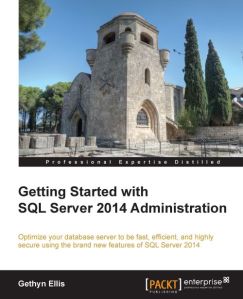
–> The book contains following chapters:
Chapter 1: SQL Server 2014 and Cloud
Chapter 2: Backup and Restore Improvements
Chapter 3: In-Memory Optimized Tables
Chapter 4: Delayed Durability
Chapter 5: AlwaysOn Availability Groups
Chapter 6: Performance Improvements
The book starts (Chapter-1) by giving an introduction to the Cloud and how Microsoft Azure SQL Database enables your SQL Server database on Cloud in easy & graphical steps, which includes:
1.1. Creating Azure SQL DB
1.2. Integrating Azure Stirage
1.3. Creating Azure VMs
On Chapter-2 its talks about Backup & Restore improvements in 2014, which includes:
2.1. Database backups/restore to a URL and Azure Storage
2.2. SQL Server Managed Backup to Microsoft Azure
2.3. Encrypted Backups
Chapter-3 tells you about new In-Memory functionality by creating:
3.1. In-Memory Tables & Indexes
3.2. Native compiled Stored Procedures
Chapter-4 discuss about Delayed Durability and how it can help improve performance by using in-memory transaction log feature, which delays writing transaction log entries to disk.
Chapter-5 talks about enhancements to AlwaysOn Availability Groups and following:
5.1. Using Microsoft Azure Virtual Machines as replicas
5.2. Building AlwaysOn Availability Groups
5.3. Creating/Troubleshooting Availability Group
Last Chapter-6 talks about lot of improvements in Performance, which includes:
6.1. Partition switching and indexing, now it is possible for individual partitions of partitioned tables to be rebuilt.
6.2. Updatable and new Clustered ColumnStore Indexes.
6.3. Buffer pool extensions, will allow you to make use of SSD (Solid-State Drives) as extra RAM on your DB server, thus by providing an extension to the Database Engine buffer pool, which can significantly improve the I/O throughput.
6.4. New Cardinality estimator and better query plans.
6.5. Update Statistics incrementally instead of a full Scan.
PROS: The book covers most of the new features in SQL Server 2014, so it is good for DBAs and Developers who already have prior experience in SQL Server 2012 Admin and Dev. Overall a good book which gives good insights into SQL Server 2014, Azure and new features.
CONS: Not on negative side, but for newbies and junior DBAs I would suggest to get hold of some basic DBA book and stuff first then graduate to this book.
Download/Buy book Here [Packt Publishing].



Current Visitors

StatCounter …since April 2012


 Leisure blog: Creek & Trails
- NMDC Hyderabad Marathon – My first 42k FM, cramps, training and fuelling
- Singapore (Part 2) – 6 days itinerary, sightseeing & attractions
- Singapore (Part 1) – Tickets, Visa, Hotel, Forex Card/Cash, Metro/Bus cards
- I got full refund of my flight tickets during COVID lockdown (AirIndia via MakeMyTrip)
- YouTube – Your Google Ads account was cancelled due to no spend
- YouTube latest update on its YPP (YouTube Partner Program) which may affect your channel
- Starting your own blog !!!
- How to file ITR (Income Tax Return) online AY 2017-18 (for simple salaried)
- Scam – Become a kin/hier and earn a fortune – via LinkedIn and Email
- Places to visit in and around Vizag (aka Visakhapatnam)
 SQL with Manoj