Archive
SQL Error – Index (zero based) must be greater than or equal to zero and less than the size of argument list
SQL Server version is “SQL Server 2012(SP2-CU15-GDR)(KB3194725) – 11.0.5676.0(X64)”.
An error occurred when you applied SQL Server 2012 Service Pack 3 to the current server(see attached image)
–> Summary Log
Overall summary:
Final result: The patch installer has failed to update the shared features. To determine the reason for failure, review the log files.
Exit code (Decimal): -2068774911
Exit facility code: 1201
Exit error code: 1
Exit message: Index (zero based) must be greater than or equal to zero and less than the size of the argument list.
Start time: 2018-02-22 10:40:52
End time: 2018-02-22 10:41:22
Requested action: Patch
Solution:
There can be various reasons you might be getting this issue, like a failure of a previous installation of SQL server may corrupt the registry, and this registry corruption may initiate this issue.
There seems to be no direct fix to this, so try:
– Uninstalling all the patches, and re-install them in sequence.
– Or, uninstall the whole SQL Server completely and install fresh again.
Using GROUPING SETS | SQL Server 2008 and above
In my previous posts (long back) I discussed about using [CUBE and ROLLUP] operators introduced in SQL Server 2008. I also discussed about COMPUTE & COMPUTE BY operators, but there two were removed from the SQL Server 2012 version.
Here in this post I’ll talk about GROUPING SETS (few days back my friend asked me about this and I thought its better to document this here).
Just like CUBE and ROLLUP, GROUPING SETS are used to GROUP and calculate Sub Totals and Totals within a set of records. Compared to ROLLUP with GROUPING SETS you have more flexibility to show Sub Totals on selected columns.
-- ROLLUP
SELECT class, section, rollno, sum(marks) [sum]
FROM #tempTable
GROUP BY class, section, rollno WITH ROLLUP
Output:
class		section	rollno	sum
HighSchool	a	1	80
HighSchool	a	2	70
HighSchool	a	3	80
HighSchool	a	NULL	230
HighSchool	b	4	90
HighSchool	b	5	90
HighSchool	b	6	50
HighSchool	b	NULL	230
HighSchool	NULL	NULL	460
Intermediate	a	1	60
Intermediate	a	2	50
Intermediate	a	3	80
Intermediate	a	NULL	190
Intermediate	b	4	90
Intermediate	b	5	50
Intermediate	b	6	70
Intermediate	b	NULL	210
Intermediate	NULL	NULL	400
NULL		NULL	NULL	860
–> Now, if you want to just Sub Total on Class level, you just need to use GROUPING SET operator like this:
-- GROUPING SETS on selective columns
SELECT class, section, rollno, sum(marks) [sum]
FROM #tempTable
GROUP BY GROUPING SETS (
	 (class, section, rollno)
	,(class)
)
This will give you more controlled Sub Totaling and grouping on selected columns:
Output:
class		section	rollno	sum
HighSchool	a	1	80
HighSchool	a	2	70
HighSchool	a	3	80
HighSchool	b	4	90
HighSchool	b	5	90
HighSchool	b	6	50
HighSchool	NULL	NULL	460
Intermediate	a	1	60
Intermediate	a	2	50
Intermediate	a	3	80
Intermediate	b	4	90
Intermediate	b	5	50
Intermediate	b	6	70
Intermediate	NULL	NULL	400
–> You can also get the same output like ROLLUP operator, but you have to provide columns in following groups:
-- GROUPING SETS
SELECT class, section, rollno, sum(marks) [sum]
FROM #tempTable
GROUP BY GROUPING SETS (
	 (class, section, rollno)
	,(class, section)
	,(class)
	,()
)
Note: You can also use GROUPING SETS with combination of ROLUP and/or CUBE operators, check more on regarding this on MS BoL, here.
–> Grouping Sets equivalent for SQL Server 2005 and below, check here.
AdventureWorks 2014 Sample Database Released! – for SQL Server 2014 (Hekaton)
Sample DataBases AdventureWorks 2014 for SQL Server 2014 has been released and is ready for download, [link].
The sample includes various flavors of samples that you can use with SQL Server 2014, and are:
1. OLTP Database
2. DW Database
3. Tabular Model Database
4. MultiDimensional Model Database
So download these now and start practicing and working on 2014!!!

–> Check the same demo on YouTube:
Maintaining Uniqueness with Clustered ColumnStore Index | SQL Server 2014
Column Store indexes were introduced in SQL Server 2012 with a flavor of Non-Clustered index i.e. “Non-Clustered ColumnStore” index. However there is a big limitation that the underlying table becomes read-only as soon as you create one.
In SQL Server 2014 this behavior is unchanged and addition to this you can also create ColumnStore index as a Clustered index. And the good thing is that the table having “Clustered ColumnStore” index can also be updated. However there is one more big limitation here that there is no Clustered Key with this type if index, thus risking the Uniqueness in the table.
–> Here we will see this limitation and a workaround which can be used in some scenarios:
USE tempdb
GO

-- Create a simple table with 3 columns having 1st column to contain Unique values:
CREATE TABLE dbo.TableWithCCI
(
	PKCol int NOT NULL,
	Foo int,
	Bar int
)
GO

-- Now create a "Clustered ColumnStore" index on this table:
CREATE CLUSTERED COLUMNSTORE INDEX CCI_TableWithCCI ON dbo.TableWithCCI
GO
Notice: While creating this index there is no provision to provided the “Clustering Key”, as this index includes all of the columns in the table, and stores the entire table by compressing the data and store by column.
On checking the metadata (by ALT+F1) of the table, you will see NULL under the index_keys column:

– Now let’s check this feature of absence of Uniquenes. We will enter 2 records with same value:
insert into dbo.TableWithCCI
select 1,2,3

insert into dbo.TableWithCCI
select 1,22,33
GO

SELECT * FROM dbo.TableWithCCI
GO
You will see 2 records with same duplicate value.
– Now, let’s create another Unique index to enforce this constraint:
CREATE UNIQUE INDEX UX_TableWithCCI ON dbo.TableWithCCI(PKCol)
GO
We get an error that you cannot create more indexes if you have a Clustered ColumnStore index:
Msg 35303, Level 16, State 1, Line 25
CREATE INDEX statement failed because a nonclustered index cannot be created on a table that has a clustered columnstore index. Consider replacing the clustered columnstore index with a nonclustered columnstore index.
–> Workaround: As a workaround we can create an Indexed/Materialized View on top this table, with Clustering Key as the PK (1st column of the table/view):
CREATE VIEW dbo.vwTableWithCCI
	WITH SCHEMABINDING
AS
	SELECT PKCol, Foo, Bar
	FROM dbo.TableWithCCI
GO

-- Delete duplicate records entered previously:
DELETE FROM dbo.TableWithCCI
GO

-- Create a Unique Clustered Index on top of the View to Materialize it:
CREATE UNIQUE CLUSTERED INDEX IDX_vwTableWithCCI ON dbo.vwTableWithCCI(PKCol)
GO
– Now let’s try to enter duplicate records again and see if these can be entered or not:
insert into dbo.TableWithCCI
select 1,2,3

insert into dbo.TableWithCCI
select 1,22,33
GO
– As expected we get an error after we inserted 1st records and tried to insert the 2nd duplicate record:
(1 row(s) affected)
Msg 2601, Level 14, State 1, Line 48
Cannot insert duplicate key row in object ‘dbo.vwTableWithCCI’ with unique index ‘IDX_vwTableWithCCI’. The duplicate key value is (1).
The statement has been terminated.
–> Not sure why Microsoft has put this limitation of not maintaining the Uniqueness with these indexes. While using this workaround you need to consider this approach if possible. Like in some scenarios where the table is very big and there are frequent updates (INSERT/UPDATE/DELETES) this approach of maintaining another Indexed-View would be expensive. So this approach should be evaluated before implementing.
-- Final Cleanup:
DROP VIEW dbo.vwTableWithCCI
GO
DROP TABLE dbo.TableWithCCI
GO
I look forward in new versions of SQL Server to address this limitation.
You can also refer to MSDN BOL [here] for checking all limitations with ColumnStore Indexes.
[Update as of May-2015] with SQL Server 2016 you can make unique Clustered ColumnStore Index indirectly by creating Primary/Unique Key Constraint on a heap with a Non-Clustered Index, [check here].
Update: Know on ColumnStore Indexes as of SQL Server 2016:
Book Review – Getting Started with SQL Server 2014 Administration
I started working on SQL Server with version 2000 (back in yr2005), then upgraded to 2005 (in yr2008), skipped 2008 version, jumped to 2008 R2 (in yr2011), then 2012 (in yr2012) and now finally 2014 very recently.
Now “SQL Server 2014” looks very competitive if you compare it with other vendors in terms of DB Engine, BI Suite, Administration, Cloud Computing, and the latest In-Memory processing, all bundled in a single suit.
–> SQL Server 2014 is packed with new and robust features like:
1. In-Memory OLTP
2. Updatable ColumnStore Indexes for Data Warehouse
3. Enhanced AlwaysOn, Azure VMs for Availability replicas
4. Managed Backup to Azure
5. SQL Server Data Files in Azure
6. Encrypted Backups
7. Delayed durability
8. Buffer Pool Extension (with SSD)
9. Incremental Stats
“Getting Started with SQL Server 2014 Administration” book is authorized by Gethyn Ellis {B|L|T} and covers most of these features in Detail and in simple steps. I’ve also talked about some of these features on my previous blog post [link], and will be writing in future also.
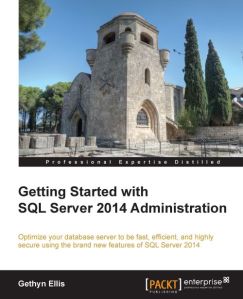
–> The book contains following chapters:
Chapter 1: SQL Server 2014 and Cloud
Chapter 2: Backup and Restore Improvements
Chapter 3: In-Memory Optimized Tables
Chapter 4: Delayed Durability
Chapter 5: AlwaysOn Availability Groups
Chapter 6: Performance Improvements
The book starts (Chapter-1) by giving an introduction to the Cloud and how Microsoft Azure SQL Database enables your SQL Server database on Cloud in easy & graphical steps, which includes:
1.1. Creating Azure SQL DB
1.2. Integrating Azure Stirage
1.3. Creating Azure VMs
On Chapter-2 its talks about Backup & Restore improvements in 2014, which includes:
2.1. Database backups/restore to a URL and Azure Storage
2.2. SQL Server Managed Backup to Microsoft Azure
2.3. Encrypted Backups
Chapter-3 tells you about new In-Memory functionality by creating:
3.1. In-Memory Tables & Indexes
3.2. Native compiled Stored Procedures
Chapter-4 discuss about Delayed Durability and how it can help improve performance by using in-memory transaction log feature, which delays writing transaction log entries to disk.
Chapter-5 talks about enhancements to AlwaysOn Availability Groups and following:
5.1. Using Microsoft Azure Virtual Machines as replicas
5.2. Building AlwaysOn Availability Groups
5.3. Creating/Troubleshooting Availability Group
Last Chapter-6 talks about lot of improvements in Performance, which includes:
6.1. Partition switching and indexing, now it is possible for individual partitions of partitioned tables to be rebuilt.
6.2. Updatable and new Clustered ColumnStore Indexes.
6.3. Buffer pool extensions, will allow you to make use of SSD (Solid-State Drives) as extra RAM on your DB server, thus by providing an extension to the Database Engine buffer pool, which can significantly improve the I/O throughput.
6.4. New Cardinality estimator and better query plans.
6.5. Update Statistics incrementally instead of a full Scan.
PROS: The book covers most of the new features in SQL Server 2014, so it is good for DBAs and Developers who already have prior experience in SQL Server 2012 Admin and Dev. Overall a good book which gives good insights into SQL Server 2014, Azure and new features.
CONS: Not on negative side, but for newbies and junior DBAs I would suggest to get hold of some basic DBA book and stuff first then graduate to this book.
Download/Buy book Here [Packt Publishing].



Current Visitors

StatCounter …since April 2012


 Leisure blog: Creek & Trails
- NMDC Hyderabad Marathon – My first 42k FM, cramps, training and fuelling
- Singapore (Part 2) – 6 days itinerary, sightseeing & attractions
- Singapore (Part 1) – Tickets, Visa, Hotel, Forex Card/Cash, Metro/Bus cards
- I got full refund of my flight tickets during COVID lockdown (AirIndia via MakeMyTrip)
- YouTube – Your Google Ads account was cancelled due to no spend
- YouTube latest update on its YPP (YouTube Partner Program) which may affect your channel
- Starting your own blog !!!
- How to file ITR (Income Tax Return) online AY 2017-18 (for simple salaried)
- Scam – Become a kin/hier and earn a fortune – via LinkedIn and Email
- Places to visit in and around Vizag (aka Visakhapatnam)
 SQL with Manoj