Archive
SQLwithManoj now on Windows 8 Store
Dear Readers,
Today I’m very happy to announce the release of Windows 8 App for this blog and its availability on Windows 8 store.
I’ve created this Windows 8 App and published to the Windows 8 Marketplace.
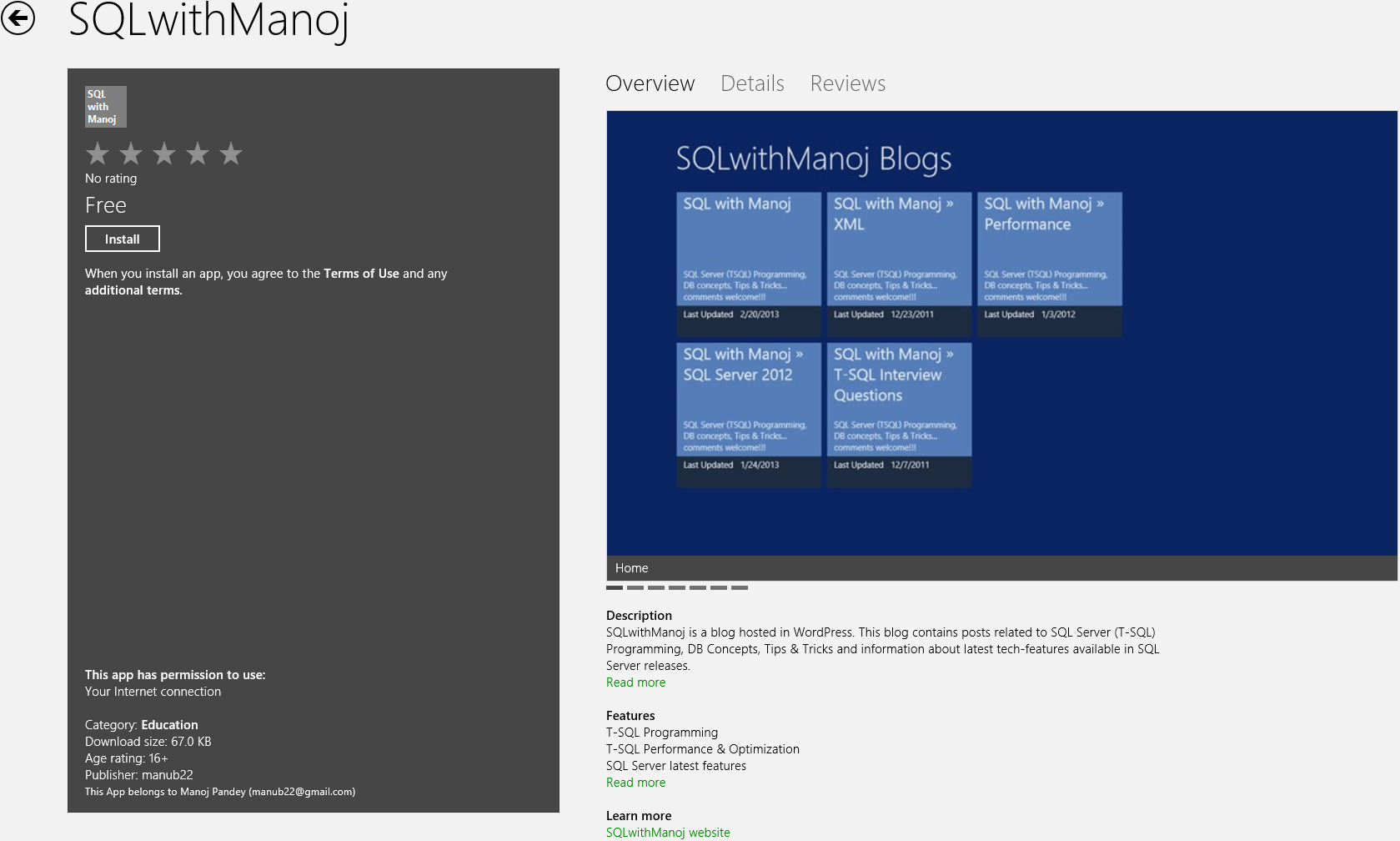
SQLwithManoj Windows 8 App
This is first Windows 8 App developed by me and I faced lot of challenges while developing and deploying it to the Marketplace.
Please download this App on your Windows 8 PC and let me know your feedback.
Thanks!!!
2012 in review
The WordPress.com stats helper monkeys prepared a 2012 annual report for this blog.

Here’s an excerpt:
About 55,000 tourists visit Liechtenstein every year. This blog was viewed about 190,000 times in 2012. If it were Liechtenstein, it would take about 3 years for that many people to see it. Your blog had more visits than a small country in Europe!
Passed 70-461 Exam : Querying Microsoft SQL Server 2012
Yesterday (Nov 15th 2012) I went through this exam and passed it. From long back I was looking an opportunity to give at least a single SQL Server Certification Exam to check my worth.
Just a week back I scheduled a slot for this Exam (for yesterday). I was looking for some reading material for the same but I couldn’t get any. Though there is a book from Microsoft Press i.e. “Training Kit (Exam 70-461): Querying Microsoft SQL Server 2012
As I maintain this blog on SQL Server and also evangelize on SQL Server 2012 latest features from long back, so I thought to give it a try and wow I went thru in a single shot!!!
Here by this post I want to provide my readers some information and knowledge about this Exam, so that they can plan well for this and look forward to take up this exam.
–> Exam Highlights:
– There were total 54 Questions
– Total time to attempt the paper was 3 Hrs.
– Total Marks: 1000
– Passing Marks: 700
– The Questions in the Exam were:
1. Mostly Objective Type.
2. Some were Subjective: where you’ve to write code, like SELECT statement and/or View Definition, etc.
3. And very few were Multiple Choice.
4. A few Question were where you’ve to pick up the appropriate code snippet and arrange them in correct sequence.
–> The Exam is divided into 4 modules:
1. Create Database Objects | 24%
– CREATE/ALTER/DROP Database, [link], [video]
– CREATE/ALTER/DROP Table, [link], [video]
– ADD/DROP/Rename table’s Columns, [video]
– Data Types [video]:
– – (XML, DATETIME, SPATIAL, VARCHAR)
– Constraints [link], [video]
– – (Primary Key, Unique Key, Foreign Key, NOT NULL, Check, Default)
– Computed Columns [video]:
– Views [link]
– Indexed Views (SCHEMABINDING, COUNT_BIG(*), CLUSTERED INDEX)
– Stored Procedures, [link].
– DML Triggers (INSERTED, UPDATED, UPDATE function) vs CHECK Constraint
– TRIGGER for VIEWS (INSTEAD OF)
– UDF (Functions), [link].
– SP vs UDF, [link].
2. Work with Data | 27%
– New Functions in SQL Server 2012 (IFF, TRY_PARSE, CONCAT, FORMAT), [link].
– FETCH-OFFSET, [link].
– SEQUENCE, [link].
– Ranking Functions (ROW_NUMBER, RANK, DENSE_RANK, NTILE), [link], [video].
– OVER() Window Function, [link]
– JOINS (INNER, OUTER LEFT, OUTER RIGHT, CROSS), [link].
– APPLY Operators (CROSS APPLY vs OUTER APPLY), [link].
– CTE and Sub-Queries, [link].
– PIVOT, [link].
– ROLLUP, CUBE & GROUPING SETS, [link].
– Dynamic SQL
– ANY, SOME, ALL
– CASE vs ISNULL vs COALESCE, [link].
– FOR XML RAW/AUTO/PATH [ELEMENTS], [link].
– Implementing XML Schemas and Handling of XML data
3. Modify Data | 24%
– Stored Procedure (with EXECUTE AS, RECOMPILE)
– MERGE Statement (TARGET, SOURCE, WHEN MATCHED, WHEN NOT MATCHED, OUTPUT), [link].
– EXCEPT vs INTERSECT
– UNION vs UNION ALL, [link].
– SCALAR vs TABLE Valued Functions.
– Use of APPLY with UDFs, [link].
– VARCHAR(MAX) and .WRITE(), [link].
4. Troubleshoot & Optimize | 25%
– Using Statistics
– SQL Internal JOINS (NESTED – Small, MERGE – Large Sorter, HASH – Large Unsorted), [link].
– TRANSACTIONS (BEGIN, COMMIT, ROLLBACK, XACT_ABORT, TRANCOUNT), [link].
– ISOLATION Levels (READ UNCOMMITTED, READ COMMITTED, REPEATABLE READ, SNAPSHOT, SERIALIZABLE)
– TRY/CATCH, [link].
– RAISE vs THROW [link]
– CURSORS (Row-Based) vs SET Based Approach
– Table Hints (UPDLOCK, ROWLOCK, TABLOCK, …etc)
– Query Hints (OPTION (OPTIMIZED FOR … [UNKNOWN]))
For “SQL Server 2014” exam certification check here.
–> You can check following Study materials to prepare for this Exam:
Microsoft Link for this Certification: https://www.microsoft.com/learning/en-us/exam-70-461.aspx
Books on AMAZON.com:
– Training Kit (Exam 70-461): Querying Microsoft SQL Server 2012
– Microsoft SQL Server 2012 T-SQL Fundamentals
–> Download “SQL Server 2014 Express” (free) version to practice T-SQL Queries:
Join SQL Server 2016 groups on [LinkedIn] and [Facebook] for more updates.
All The Best!!!
Security Compliance Manager (SCM) 3.0 now available for beta download!

New baselines for securing Windows Server 2012 and Windows 8 environments now available for beta review!
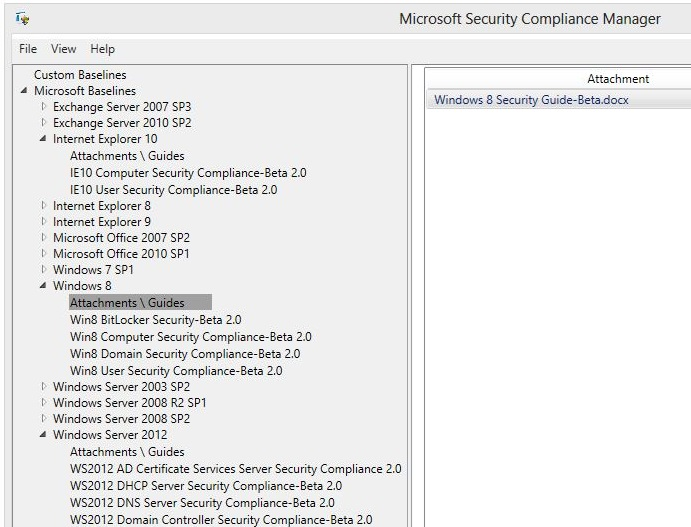
Security Compliance Manager 3.0 (SCM 3.0) is now available for download! SCM 3.0 is a free tool from the Microsoft Solution Accelerators team that enables you to quickly configure and manage both desktops and servers using Group Policy and Microsoft System Center Configuration Manager. In addition to key features from the previous version, SCM 3.0 offers new Windows Server 2012, Windows 8, and Internet Explorer 10 baselines!

Secure your environment with new product baselines for Windows Server 2012, Windows 8, and Internet Explorer 10. The latest version of SCM offers all the same great features as before, plus an enhanced setting library for Windows 7 SP1 and Windows 2008 R2 and bug fixes. The updated setting library gives you the ability to further customize baselines, and also improves GPO Import feature affinity. SCM 3.0 provides a single location for creating, managing, analyzing, and customizing baselines to secure your environment quicker and more efficiently.
To learn more about the Security Compliance Manger tool, visit the TechNet Library.
SCM 3.0 provides ready-to-deploy policies and DCM configuration packs that are tested and fully supported. Our product baselines are based on Microsoft security guide recommendations and industry best practices, allowing you to manage configuration drift, address compliance requirements, and reduce security threats.
Easily configure Windows operating systems, Microsoft Office applications, and Internet Explorer with industry leading knowledge and fully supported tools.
Next steps:
Join the SCM 3.0 beta. Click here to join the beta and get the latest version of the tool.
Tell us what you think! Test drive the beta release, and send your constructive feedback to secwish@microsoft.com. We value your input; this is the perfect opportunity to be heard.
Tell your peers and customers about Security Solution Accelerators! Please forward this to anyone who wants to learn more about security and Microsoft Solution Accelerators.
Already using Security Solution Accelerators? We’d like to hear about your experiences. Please send comments and suggestions to secwish@microsoft.com. Want more information on a specific feature? Interested in speaking with the development team? Please contact Venkat Ganti.
Microsoft Assessment and Planning (MAP) Toolkit 7.0 now available | Accelerate your migration to the private cloud

The Microsoft Assessment and Planning (MAP) Toolkit team is pleased to announce that MAP 7.0 is now available for download.
The Microsoft Assessment and Planning (MAP) Toolkit is an agentless, automated, multi-product planning and assessment tool for quicker and easier desktop, server and cloud migrations. MAP provides detailed readiness assessment reports and executive proposals with extensive hardware and software information, and actionable recommendations to help organizations accelerate their IT infrastructure planning process, and gather more detail on assets that reside within their current environment. MAP also provides server utilization data for Hyper-V server virtualization planning; identifying server placements, and performing virtualization candidate assessments, including ROI analysis for server consolidation with Hyper-V.
The latest version of the MAP Toolkit adds several new scenarios to help you plan your IT future while supporting your current business needs. Included scenarios help you to:
• Plan your deployment of Windows Server 2012 and Windows 8 with hardware and infrastructure readiness assessments
• Size your desktop virtualization needs for both Virtual Desktop Infrastructure (VDI) and session-based virtualization using Remote Desktop Services
• Ready your information platform for the cloud with SQL Server 2012
• Virtualize your existing Linux servers onto Hyper-V
• Identify opportunities to lower your virtualization costs with Hyper-V using the VMware migration assessment
• Assess user and device access for Lync 2010 Standard licensing
Key features and benefits of MAP 7.0 help you:
• Determine your readiness for Windows Server 2012 and Windows 8
• Migrate your VMware-based virtual machines to Hyper-V
• Size your server environment for desktop virtualization
• Simplify migration to SQL Server 2012
• Evaluate your licensing needs for Lync 2010
• Determine active users and devices
Assess Windows Server 2012 readiness
MAP 7.0 assesses the readiness of your IT infrastructure for a Windows Server 2012 deployment. This feature includes detailed and actionable recommendations indicating the machines that meet Windows Server 2012 system requirements and which may require hardware updates. A comprehensive inventory of servers, operating systems, workloads, devices, and server roles is included to help in your planning efforts.
Determine Windows 8 readiness
MAP 7.0 assesses the readiness of your IT environment for your Windows 8 deployment. This feature evaluates your existing hardware against the recommended system requirements for Windows 8. It provides recommendations detailing which machines meet the requirements and which machines may require hardware upgrades.
Key benefits include:
• Assessment report and summary proposal to help you to understand the scope and benefits of a Windows 8 deployment.
• Inventory of desktop computers, deployed operating systems, and applications.
Virtualize your Linux servers on Hyper-V
MAP 7.0 extends its server virtualization scenario to include Linux operating systems. Now, MAP enables you to gather performance data for Linux-based physical and virtual machines and use that information to perform virtualization and private cloud planning analysis for both Windows and Linux-based machines within the Microsoft Private Cloud Fast Track scenario.
Key features allow you to:
• Incorporate non-Windows machines into your virtualization planning.
• View consolidation guidance and validated configurations with preconfigured Microsoft Private Cloud Fast Track infrastructures, including computing power, network, and storage architectures.
• Get a quick analysis of server consolidation on Microsoft Private Cloud Fast Track infrastructures to help accelerate your planning of physical to virtual (P2V) migration to Microsoft Private Cloud Fast Track.
• Review recommended guidance and next steps using Microsoft Private Cloud Fast Track.
For a comprehensive list of features and benefits, click here.
Next steps:
• Download MAP Toolkit 7.0.
• Send your comments to the MAP Team.
• Learn more about MAP.
Get the latest tips from Microsoft Solution Accelerators—in 140 characters or less! Follow us on Twitter: @MSSolutionAccel.



Current Visitors

StatCounter …since April 2012


 Leisure blog: Creek & Trails
- NMDC Hyderabad Marathon – My first 42k FM, cramps, training and fuelling
- Singapore (Part 2) – 6 days itinerary, sightseeing & attractions
- Singapore (Part 1) – Tickets, Visa, Hotel, Forex Card/Cash, Metro/Bus cards
- I got full refund of my flight tickets during COVID lockdown (AirIndia via MakeMyTrip)
- YouTube – Your Google Ads account was cancelled due to no spend
- YouTube latest update on its YPP (YouTube Partner Program) which may affect your channel
- Starting your own blog !!!
- How to file ITR (Income Tax Return) online AY 2017-18 (for simple salaried)
- Scam – Become a kin/hier and earn a fortune – via LinkedIn and Email
- Places to visit in and around Vizag (aka Visakhapatnam)
 SQL with Manoj