SQL DBA – When was the Table, View, Stored Procedure Created or Modified
On my previous blog posts [link] I discussed about System Catalog views and some tips to get the informaion regarding Database objects, like: Tables, Views, etc.
Adding to that post, this post provides the basic information that various DBAs & Developers are interested in, i.e. when was the Table created? or When was that particular Stored Procedure modified or updated?
Following set of queries provides this information:
select object_id, name, create_date, type_desc, modify_date
from sys.tables
UNION
select object_id, name, create_date, type_desc, modify_date
from sys.views
UNION
select object_id, name, create_date, type_desc, modify_date
from sys.procedures
UNION
select object_id, name, create_date, type_desc, modify_date
from sys.triggers
-OR- a single query to check all objects information:
select object_id, name, create_date, type_desc, modify_date
from sys.all_objects
where type in ('U', 'V', 'P', 'TR' ,'FN', 'IF', 'TF')
order by type, name
By querying the sys.all_objects view you can also get the information about other DB objects other than listed above, like: Indexes, Constraints, Synonyms, Stats, etc.
MS BOL link on sysobjects and object-type codes: http://msdn.microsoft.com/en-us/library/ms177596.aspx
Clustered vs NonClustered Indexes… and data sorting in SQL Server
This post on difference between Clustered Index & Non Clustered Index is a prequel to my blog post on requirement & use of Clustered index & NonClustered index, [link].
As per MS BOL (MSDN) in SQL Server, indexes are organized as B-trees. Each page in an index B-tree is called an index node. The top node of the B-tree is called the root node. The bottom level of nodes in the index is called the leaf nodes. Any index levels between the root and the leaf nodes are collectively known as intermediate levels.
In Clustered index: (MSDN)
1. The Leaf nodes contain the Data pages of the underlying table.
2. The Root and Intermediate level nodes contain Index pages holding Index rows.
3. Each Index row contains a Key value and a pointer to either an Intermediate level page in the B-tree, or a Data row in the Leaf level of the Index. The Pages in each level of the Index are linked in a Doubly-linked list.
4. The Pages in the Data chain and the rows in them are ordered on the value of the Clustered Index key.
5. There can be only one Clustered Index on a table.
6. Does not support Included column, because they already contain all the columns which are not in the index as Included columns.
In NonClustered Index: (MSDN)
1. The Leaf layer of a NonClustered index is made up of Index pages instead of Data pages.
2. Each Index row in the NonClustered index contains the NonClustered Key value and a row locator. This locator points to the Data row in the Clustered index or Heap having the Key value.
2.a. If the table is a Heap, which means it does not have a Clustered index, the row locator is a pointer to the row.
2.b. If the table has a Clustered index, or the index is on an Indexed view, the row locator is the Clustered index Key for the row. SQL Server retrieves the data row by searching the Clustered index using the Clustered index Key stored in the Leaf row of the NonClustered index.
3. The Data rows of the underlying table are not sorted and stored in order based on their nonclustered keys.
4. Each table can have up to 249 & 999 nonclustered indexes on SQL Server 2005 & 2008 respectively.
Indexing & data Sorting: (MSDN)
As per MS BOL, a Clustered Index only reorganizes the data pages so that the rows are logically sorted in Clustered Index order. The pages are not guaranteed to be ordered physically. SQL Server doesn’t necessarily store the data physically on the disk in clustered-index order, but while creating an index, SQL Server attempts to physically order the data as close to the logical order as possible. Each page in an index’s leaf level has a pointer to the page that logically precedes the current page and to the page that logically follows the current page, thereby creating a doubly linked list. The sysindexes table contains the address of the first leaf-level page. Because the data is guaranteed to be logically in clustered-index order, SQL Server can just start at the first page and follow the index pointers from one page to the next to retrieve the data in order.
So its not guaranteed about the physical ordering of records/rows if a table has Clustered Index on it. It is a common misconsecption among people that Clustered Index sorts data physically & Non Clustered Index sorts data logically.
Also discussed this topic on MSDN’s TSQL forum and got several expert comments & answers: http://social.msdn.microsoft.com/Forums/en-US/transactsql/thread/1c98a7ee-7e60-4730-a38c-f0e3f0deddba
More Info on ordering: https://sqlwithmanoj.com/2013/06/02/clustered-index-do-not-guarantee-physically-ordering-or-sorting-of-rows/
Using ORDER BY with CASE in SQL Queries
ORDER BY clause orders the result set of a SQL query for a particular or specific set of columns provided in ORDER BY clause.
Ever wonder to tweak that order. Lets take a scenario when you fill out an online form. When you reach at Country dropdown you get lots of County names to select. But if your Country is not listed there, there an “Other” option and that too at the bottom. Why it is not ordered with other Country names alphabetically? How come it reached that bottom? Lets see how can we get that resultset by using ORDER BY CASE.
-- Create a Country table CREATE TABLE Country (ID INT IDENTITY(1,1), cname VARCHAR(50)) -- Insert dummy data INSERT INTO Country SELECT 'Afghanistan' UNION SELECT 'Australia' UNION SELECT 'France' UNION SELECT 'Oman' UNION SELECT 'United States' UNION SELECT 'Singapore' UNION SELECT 'Other' -- SELECT with plain ORDER BY SELECT * FROM Country ORDER BY cname
ID cname
1 Afghanistan
2 Australia
3 France
4 Oman
5 Other
6 Singapore
7 United States
Here you will see the "Other" option just below "Oman". It should not be here,
because it is not a Country name and the user should should see this
option at the bottom.
-- SELECT with ORDER BY CASE SELECT * FROM Country ORDER BY CASE WHEN cname='other' THEN 1 ELSE 0 END
ID cname
1 Afghanistan
2 Australia
3 France
4 Oman
6 Singapore
7 United States
5 Other
Applying ORDER BY clause with CASE tweaks the "Other" option and places it at the
bottom. Other than Country this logic can be applied for other things like,
University Name, City, State, etc.
-- Final Cleanup DROP TABLE Country
Microsoft Community Contributor Award 2011
Just received an email from Microsoft that I’ve been recognized for this year’s (2011) “MS Community Contributor Award” for my contribution in Microsoft’s online technical communities.
And I can sport this badge now:
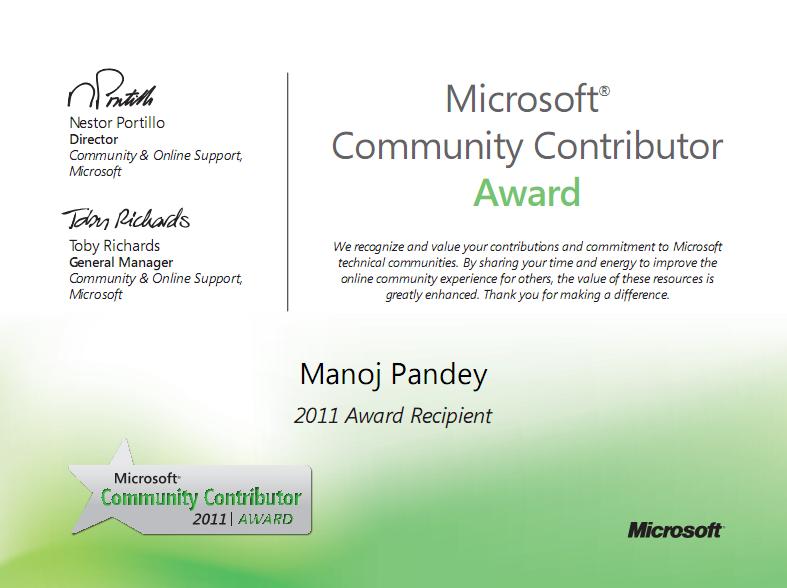
MCCA 2011
What is MCCA: The Microsoft Community Contributor Award is reserved for participants who have made notable contributions in Microsoft online community forums such as TechNet, MSDN and Answers. The value of these resources is greatly enhanced by participants, who voluntarily contribute your time and energy to improve the online community experience for others.
Becoming a Microsoft Community Contributor Award recipient includes access to important benefits, such as complimentary resources to support you in your commitment to Microsoft online communities.
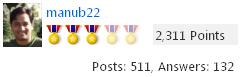
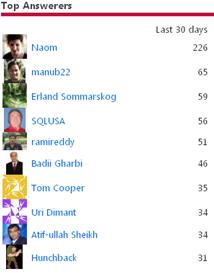
I’ve been following the MSDN’s TSQL from since 2006-07, but actively answering the question for the past 6-7 months. In the duration I’ve got 2311 points till date (not bad), with total 511 posts & 132 answers marked (image below).
My MSDN’s TSQL forum link: http://social.msdn.microsoft.com/profile/manub22/?type=forum
MCC 2011 Facebook fan page: http://www.facebook.com/pages/Microsoft-Community-Contributor/113784705335192



Current Visitors

StatCounter …since April 2012


 Leisure blog: Creek & Trails
- NMDC Hyderabad Marathon – My first 42k FM, cramps, training and fuelling
- Singapore (Part 2) – 6 days itinerary, sightseeing & attractions
- Singapore (Part 1) – Tickets, Visa, Hotel, Forex Card/Cash, Metro/Bus cards
- I got full refund of my flight tickets during COVID lockdown (AirIndia via MakeMyTrip)
- YouTube – Your Google Ads account was cancelled due to no spend
- YouTube latest update on its YPP (YouTube Partner Program) which may affect your channel
- Starting your own blog !!!
- How to file ITR (Income Tax Return) online AY 2017-18 (for simple salaried)
- Scam – Become a kin/hier and earn a fortune – via LinkedIn and Email
- Places to visit in and around Vizag (aka Visakhapatnam)
 SQL with Manoj
Generate SCRIPT or SOURCE CODE of DB Objects: Functions, Stored Procedures, Views, Triggers, ect
The metadata in SQL Server contains the information and code of the Database Objects, like Functions, Stored Procedures, Views, Triggers, etc.
Following are the 3 main ways you can get or generate Script or Source Code of these DB Objects:
USE [AdventureWorks]
GO
-- Method #1
SELECT ROUTINE_DEFINITION, ROUTINE_NAME, ROUTINE_TYPE
FROM INFORMATION_SCHEMA.ROUTINES
WHERE ROUTINE_NAME = 'ufnGetContactInformation';
GO
-- Method #2
select c.text, object_name(c.id), o.type
from sys.syscomments c
join sys.sysobjects o
on o.id = c.id
where c.id = object_ID('ufnGetContactInformation');
GO
<p>-- Method #3
exec sp_helptext 'dbo.ufnGetContactInformation';
GO
More about SQL Server metadata: https://sqlwithmanoj.wordpress.com/2010/12/06/querying-sql-server-metadata/